Qt demo:银行输入键盘

auther: abinng date: 2026-03-26 10:01 createDate:2026-03-26 10:01

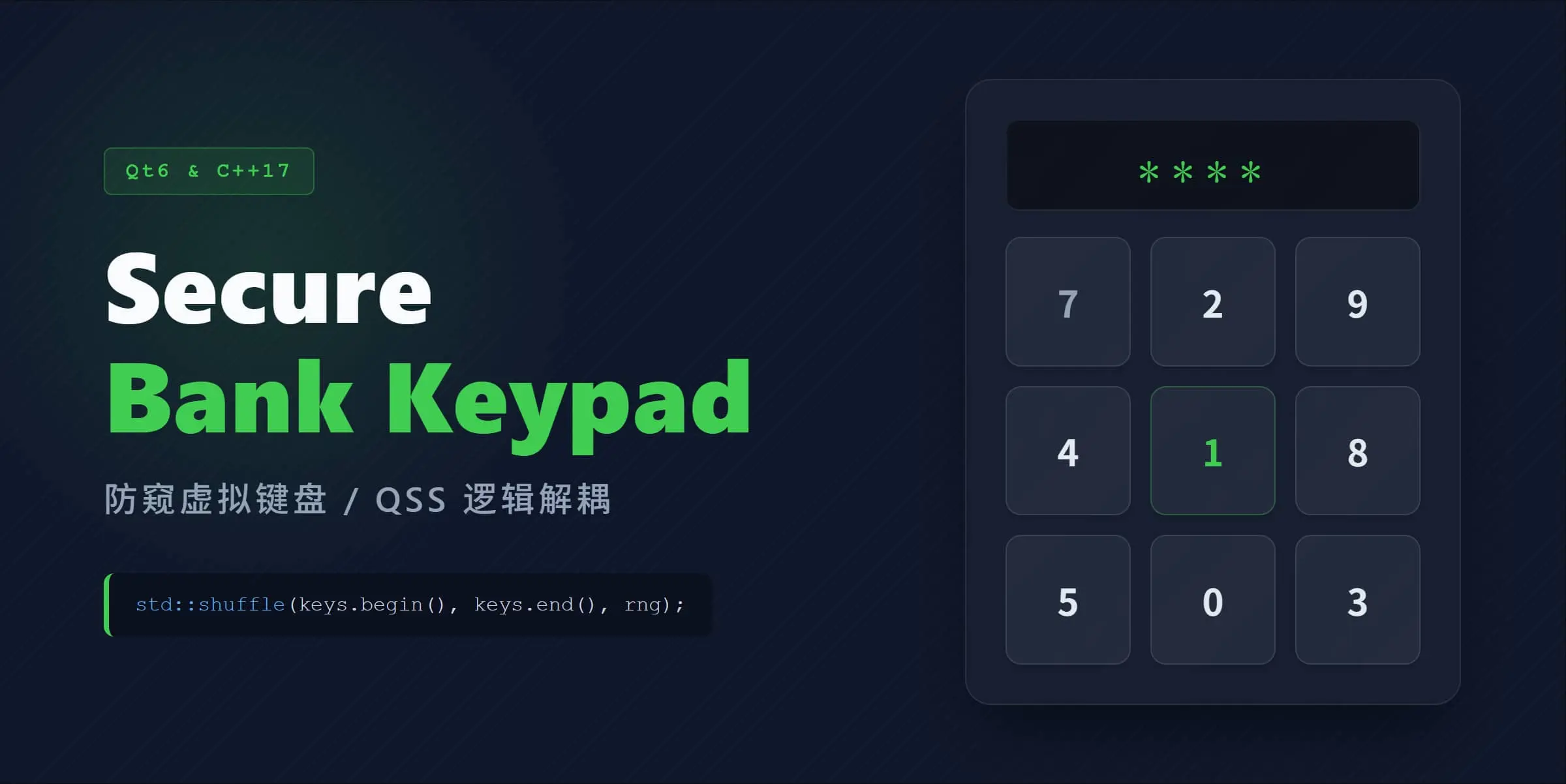
在银行等私密输入密码的地方,其键盘的排列并不是顺序的123456789,而是九个位置顺序打乱

功能描述

矩阵键盘分为数字键(0~9),功能按键(删除和确认)

输入 6 位数字模拟密码,每次输入 6 位后,键盘数字按键随机变换坐标,功能按键坐标固定

点击确定后,显示清零后数字按键随机变换坐标

矩阵键盘按键尺寸固定,每个按键长宽为 80px * 80px,LCD 显示区长宽为 240px * 80px

  • 双模式:通过强类型枚举 PadMode 一键切换键盘主题。
  • UI 逻辑解耦:拒绝在 CPP 中硬编码长串样式,所有 UI 渲染均交由独立的 .qss 文件动态加载。
  • 安全防窥输入:输入满 6 位后,数字键位自动通过 std::shuffle 与硬件熵源进行随机重排。

效果演示

image-20260329185219789

项目结构

一个基于 C++17 和 Qt6 开发的现代化虚拟数字键盘组件。 支持“纯代码 QSS”与“图标资源”双模式切换,内置数字键随机打乱算法(防偷窥)。

项目主要作为 Qt 现代 C++ 开发实践的模板,展示了 UI 解耦、Lambda 信号绑定以及 CMake 工程的标准化构建。

1
2
3
4
5
6
7
8
├── styles/                  # QSS 样式文件
│ ├── style_image.qss
│ └── style_qss.qss
├── img/images/ # 图标资源
├── CMakeLists.txt # 构建脚本
├── res.qrc # Qt 资源注册表
├── key_pad.h / .cpp # 键盘核心逻辑
└── main.cpp # 启动入口

代码

代码整体比较简单,核心亮点在 UI 逻辑解耦

利用属性选择器分发样式: 无需为每个按钮单独 setStyleSheet,通过打标签实现批量控制:

1
2
3
4
5
// C++ 中贴标签
btn->setProperty("btnType", "func");

// .qss 中精准对应
QPushButton[btnType="func"] { background-color: #f99f2b; }

全部代码如下:

点击展开
1
2
3
4
5
6
7
8
9
10
11
12
13
14
15
16
17
18
19
20
21
22
23
24
25
26
27
28
29
30
31
32
33
34
35
36
37
38
39
40
41
42
43
44
45
46
47
48
49
50
51
52
53
54
55
56
#ifndef EX15_MYKEYPAD_KEY_PAD_H
#define EX15_MYKEYPAD_KEY_PAD_H

#include <QWidget>
#include <QGridLayout>
#include <QLcdNumber>
#include <QList>
#include <QPushButton>
#include <QDebug>

QT_BEGIN_NAMESPACE

namespace Ui {
class KeyPad;
}

QT_END_NAMESPACE

struct KeyInfo {
QString text;
int value;
QString imagePath;
};

enum KeyRole {
Num0 = 0, Num1, Num2, Num3, Num4, Num5, Num6, Num7, Num8, Num9,
DeleteBtn = 11,
ConfirmBtn = 12
};

enum PadMode {
QssMode,
ImageMode
};

class KeyPad : public QWidget {
Q_OBJECT
public:
explicit KeyPad(QWidget *parent = nullptr, PadMode mode = PadMode::QssMode);

~KeyPad() override;
public slots:
void lcdChange();
private:
void init_keypad();
void random_keypad();
void loadStyleSheet();
QLCDNumber *lcdShow;
QWidget *padWidget;
QGridLayout *padLayout;
QList<QPushButton *> m_btns;
QString m_currentInput;
PadMode m_mode;
};

#endif // !EX15_MYKEYPAD_KEY_PAD_H
1
2
3
4
5
6
7
8
9
10
11
12
13
14
15
16
17
18
19
20
21
22
23
24
25
26
27
28
29
30
31
32
33
34
35
36
37
38
39
40
41
42
43
44
45
46
47
48
49
50
51
52
53
54
55
56
57
58
59
60
61
62
63
64
65
66
67
68
69
70
71
72
73
74
75
76
77
78
79
80
81
82
83
84
85
86
87
88
89
90
91
92
93
94
95
96
97
98
99
100
101
102
103
104
105
106
107
108
109
110
111
112
113
114
115
116
117
118
119
120
121
122
123
124
125
126
127
128
129
130
131
132
133
134
135
136
137
138
139
140
141
142
143
144
145
146
147
148
149
150
151
152
153
154
155
156
157
158
159
160
161
162
163
164
165
166
167
168
169
#include "key_pad.h"
#include <QBoxLayout>
#include <QDateTime>
#include <QRandomGenerator>
#include <QFile>
#include <QLatin1StringView>

#define QSS_STYLE_IMAGE ":/styles/style_image.qss"
#define QSS_STYLE_QSS ":/styles/style_qss.qss"

namespace {
const QList<KeyInfo> pads = {
{"1", 1, ":/images/1.png"}, {"2", 2, ":/images/2.png"}, {"3", 3, ":/images/3.png"},
{"4", 4, ":/images/4.png"}, {"5", 5, ":/images/5.png"}, {"6", 6, ":/images/6.png"},
{"7", 7, ":/images/7.png"}, {"8", 8, ":/images/8.png"}, {"9", 9, ":/images/9.png"},
{"⌫", 11, ":/images/del.png"}, {"0", 0, ":/images/0.png"}, {"✓", 12, ":/images/ok.png"}
};
} // namespace

KeyPad::KeyPad(QWidget *parent, PadMode mode) : QWidget(parent), m_mode(mode)
{
// 主窗口
this->setGeometry(50, 100, 240, 400);

// 主布局
auto main_layout = new QVBoxLayout(this);
main_layout->setSpacing(0);
main_layout->setContentsMargins(0, 0, 0, 0);

// 上方 lcd 显示屏
lcdShow = new QLCDNumber(this);
lcdShow->setDigitCount(6);
lcdShow->display("");
lcdShow->setSegmentStyle(QLCDNumber::Flat);
// 显示屏的外容器
auto lcdContainer = new QWidget(this);
lcdContainer->setMinimumSize(240, 80);
lcdContainer->setMaximumSize(240, 80);
// 显示器容器的布局
auto containerLayout = new QVBoxLayout(lcdContainer);
if (m_mode == PadMode::ImageMode) {
// 图片模式
containerLayout->setContentsMargins(15, 15, 15, 5);
} else {
// QSS 模式
containerLayout->setContentsMargins(0, 0, 0, 0);
}
containerLayout->addWidget(lcdShow);

// 下方键盘区
padWidget = new QWidget(this);
padLayout = new QGridLayout(padWidget); // 键盘区网格布局
padLayout->setContentsMargins(0, 0, 0, 0);
padLayout->setSpacing(0);

init_keypad();
loadStyleSheet();
random_keypad();

main_layout->addWidget(lcdContainer);
main_layout->addWidget(padWidget);
main_layout->setStretch(0, 1);
main_layout->setStretch(1, 4);
}

KeyPad::~KeyPad() {}

void KeyPad::loadStyleSheet()
{
QString stylePath = (m_mode == PadMode::ImageMode) ? QSS_STYLE_IMAGE : QSS_STYLE_QSS;
QFile file(stylePath);
if (file.open(QFile::ReadOnly)) {
this->setStyleSheet(QLatin1String(file.readAll()));
file.close();
}
}

void KeyPad::init_keypad()
{
QPushButton *btn;

for (int x = 0; x < 4; ++x) {
for (int y = 0; y < 3; ++y) {
int pos = x * 3 + y;
btn = new QPushButton(padWidget);
btn->setProperty("value", pads[pos].value);
btn->setMinimumSize(80, 80);
btn->setMaximumSize(80, 80);

if (m_mode == 1) {
// 图标模式
btn->setIcon(QIcon(pads[pos].imagePath));
btn->setIconSize(QSize(50, 50));
} else {
// 纯 QSS , 不带图片
btn->setText(pads[pos].text);
if (pads[pos].value >= DeleteBtn) { // 删除/确认 按键
btn->setProperty("btnType", "func");
} else {
btn->setProperty("btnType", "num");
}
}
// 连接信号和槽
connect(btn, &QPushButton::clicked, this, &KeyPad::lcdChange);
m_btns.append(btn);
}
}
}

void KeyPad::random_keypad()
{
// 初始化随机数熵池
auto random = QRandomGenerator::global();
// 随机下标容器
QList<int> indexes;
for (int i = 0; i < pads.size(); ++i) {
if (pads[i].value <= KeyRole::Num9) { // 仅打乱数字键
indexes.append(i);
}
}
// 打乱一下
std::shuffle(indexes.begin(), indexes.end(), *random);

int pos_indes = 0;
for (int x = 0; x < 4; ++x) {
for (int y = 0; y < 3; ++y) {
int pos = x * 3 + y;
QPushButton *btn;
if (pads[pos].value >= KeyRole::DeleteBtn) {
btn = m_btns[pos];
} else {
btn = m_btns[indexes[pos_indes]];
++pos_indes;
}
padLayout->addWidget(btn, x, y, 1, 1);
}
}
}

void KeyPad::lcdChange()
{
// 看看是哪个发的信号
auto btn = qobject_cast<QPushButton *>(sender());
if (btn == nullptr) {
return;
}
int v = btn->property("value").toInt();
if (v == KeyRole::DeleteBtn) { // 删除
if (m_currentInput.isEmpty()) {
return;
}
m_currentInput.chop(1);
lcdShow->display(m_currentInput.isEmpty() ? "" : m_currentInput);
} else if (v == KeyRole::ConfirmBtn) { // 确认:清空一下 lcd 显示
m_currentInput.clear();
lcdShow->display("");
} else {
if (m_currentInput.size() >= 6) {
m_currentInput.clear();
}

m_currentInput.append(QString::number(v));
lcdShow->display(m_currentInput);

if (m_currentInput.size() == 6) { // 正好等于 6 时,随机一下键盘
random_keypad();
}
}
}
1
2
3
4
5
6
7
8
9
10
11
12
#include <QApplication>
#include <QWidget>
#include "key_pad.h"

int main(int argc, char *argv[]) {
QApplication app(argc, argv);
KeyPad win(nullptr, PadMode::QssMode);

win.show();

return QApplication::exec();
}
1
2
3
4
5
6
7
8
9
10
11
12
13
14
15
16
<RCC>
<qresource prefix="/img">
<file>images/num1.png</file>
<file>images/num2.png</file>
<file>images/num3.png</file>
<file>images/num4.png</file>
<file>images/num5.png</file>
<file>images/num6.png</file>
<file>images/num7.png</file>
<file>images/num8.png</file>
<file>images/num9.png</file>
<file>images/delete.png</file>
<file>images/num0.png</file>
<file>images/ok.png</file>
</qresource>
</RCC>
1
2
3
4
5
6
7
8
9
10
11
12
13
14
15
16
17
18
19
20
21
22
23
24
25
26
27
28
29
30
31
32
cmake_minimum_required(VERSION 3.16)
project(ex15_myKeyPad CXX)

set(CMAKE_CXX_STANDARD 17)
set(CMAKE_CXX_STANDARD_REQUIRED ON)

set(CMAKE_PREFIX_PATH "D:/09_SW/_Dev/Qt/6.5.3/mingw_64")

# target_compile_definitions(ex15_myKeyPad PRIVATE QT_NO_DEBUG_OUTPUT)

set(CMAKE_AUTOMOC ON)
set(CMAKE_AUTOUIC ON)
set(CMAKE_AUTORCC ON)

find_package(Qt6 REQUIRED COMPONENTS Core Widgets)

qt_standard_project_setup()

qt_add_executable(ex15_myKeyPad
main.cpp
key_pad.cpp
key_pad.h
res.qrc
)

target_link_libraries(ex15_myKeyPad PRIVATE Qt6::Core Qt6::Widgets)

# 设置目标属性
set_target_properties(ex15_myKeyPad PROPERTIES
WIN32_EXECUTABLE OFF # Windows 下:作为图形界面程序运行,隐藏黑色的 CMD 控制台窗口
MACOSX_BUNDLE ON # macOS 下:打包成标准的 .app 应用程序包
)

样式:

点击展开
1
2
3
4
5
6
7
8
9
10
11
12
13
14
15
16
17
18
19
20
21
22
23
24
25
26
27
28
29
30
31
32
33
34
35
36
37
38
39
40
/* 主窗口背景 */
KeyPad {
background-color: #282726;
}

/* LCD 显示屏 */
QLCDNumber {
background-color: #1e1e1e;
color: #ebe9eb;
border: none;
border-bottom: 3px solid #f99f2b;
}

/* 功能键 (确认/删除) */
QPushButton[btnType="func"] {
background-color: #f99f2b;
font-family: 'Segoe UI', Arial;
font-size: 32px;
font-weight: bold;
color: #ffffff;
border: 1px solid rgb(44,44,46);
border-radius: 4px;
margin: 1px;
}
QPushButton[btnType="func"]:hover { background-color: #ffb04f; }
QPushButton[btnType="func"]:pressed { background-color: #c67e20; }

/* 数字键 */
QPushButton[btnType="num"] {
background-color: #5e5d5c;
font-family: 'Segoe UI', Arial;
font-size: 28px;
font-weight: bold;
color: #ebe9eb;
border: 1px solid rgb(44,44,46);
border-radius: 4px;
margin: 1px;
}
QPushButton[btnType="num"]:hover { background-color: #6e6d6c; }
QPushButton[btnType="num"]:pressed { background-color: #9f9e9e; }
1
2
3
4
5
6
7
8
9
10
11
12
13
14
15
16
17
18
19
20
21
22
/* 主窗口背景 */
KeyPad {
background-color: #f4f7f6;
}

/* LCD 显示屏 */
QLCDNumber {
background-color: #2c2c2e;
color: #ffffff;
border: none;
border-radius: 12px;
}

/* 图片模式下的所有按钮 */
QPushButton {
background: transparent;
border: none;
}
QPushButton:pressed {
background-color: rgba(0, 0, 0, 30); /* 浅灰底色下,按下用半透明黑色更好看 */
border-radius: 10px;
}

分离了QSS代码到静态文件,通过文件读取来适配QSS样式,方便后续新增皮肤

style 下,style_qss.qssstyle_image.qss

1
2
3
4
5
6
7
8
9
10
11
12
#define QSS_STYLE_IMAGE ":/styles/style_image.qss"
#define QSS_STYLE_QSS ":/styles/style_qss.qss"

void KeyPad::loadStyleSheet()
{
QString stylePath = (m_mode == PadMode::ImageMode) ? QSS_STYLE_IMAGE : QSS_STYLE_QSS;
QFile file(stylePath);
if (file.open(QFile::ReadOnly)) {
this->setStyleSheet(QLatin1String(file.readAll()));
file.close();
}
}

已发布 Github: abinng/Qt-Modern-Keypad: 个人学习Qt时的做的一个小Demo